Associated tools
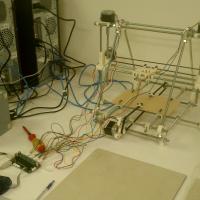
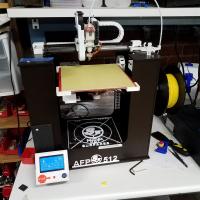
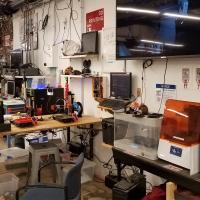
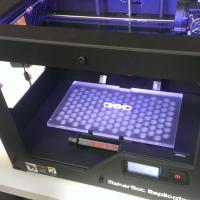

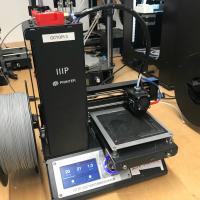
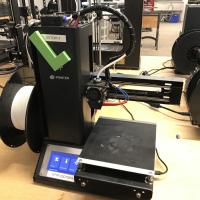
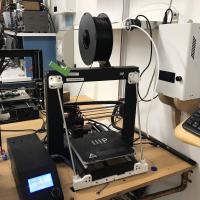
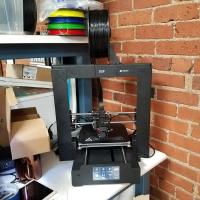
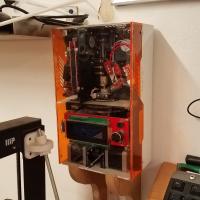
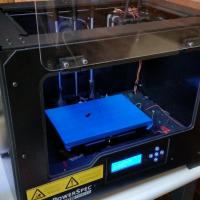


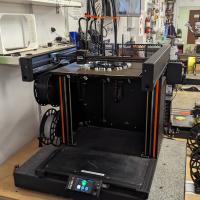

Prusa 3D Printers Badge
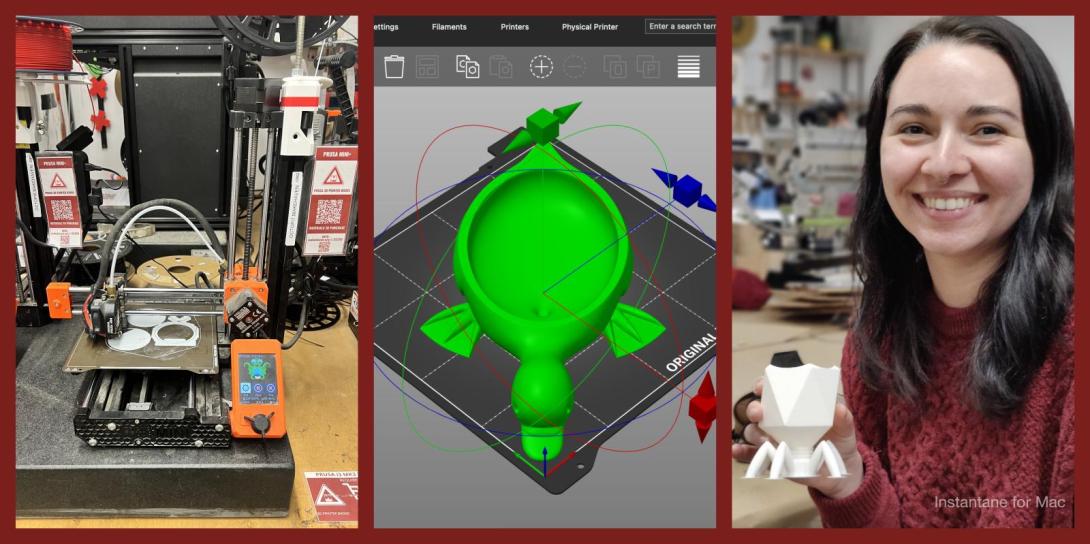
Completing this badge allows you to use the Prusa 3D printers. Additional training is required for use of the Markforged and Form Labs 3D printers.
Badge Checkout Requirement
In person checkout required
Badge Checklist
Complete these items to earn the badge.
- 3D Printer (Generic FDM)
- Video watched, quiz taken, any questions?
- Identify and describe control axes, changing filament, and cleaning print surface
- Cleaning the bed (for the first print of the day)
- Putty knife to scrape away chunks
- Lightly sand with sandpaper (grit #)
- Paper towel with isopropyl
- Changing filament
- Pre-heat machine (215)
- Cut filament near spool (at angle)
- Remove old spool - keep slight tension on filament!
- Filament end should be secured on spool itself, inserted into the printer, or held in your hand - loose filament WILL tangle!
- Remove old filament from extruder,
- Move tension spring lever on top and pull filament from extruder motor
- Adding new filament (only PLA)
- Select desired color from available filaments
- If a new roll is opened, write down the color on the To Purchase Clipboard
- Feed new filament through extruder/tube until desired color is extruded
- On Minis, tension lever must be depressed
- Printing from Octopi
- Go to http://octopi#.makehaven, where # is the number printer you’re using (each printer is labeled on the front)
- If printer state is Offline
- Click the grey Connect button, printer should now say “State: Operational”
- On the lower left hand side are the Folders and Files, create a folder with your name, then upload said folder
- Click the Upload button at the bottom
- Select your STL file, which will load into slicer automatically
- Using the slicer controls: Rotate, scale, remove, duplicate
- After orienting model in slicer, go to General tab
- Change to “After Slicing: Select for Printing”
- On Basic tab:
- Change “Fill Density” to desired percentage (suggested value of 15%)
- Change “Support Type” if supports are required
- Build plate: only supports where model is over buildplate
- Everywhere: adds supports anywhere where there is a 45° or greater overhang
- Make sure extruder temp is 215 degrees and bed is 60
- On Advanced tab:
- Change adhesion from “None” to “Brim” as default, and to “Raft” only if you’re having adhesion problems
- Click “Slice”
- On left side click blue Print button
- Print Process
- Keep note of “Filament (tool 0)”; each member is allocated 30 meters per day. If your prints exceed this, please pay $0.10 per meter at makehaven.org/store, or in the cash box on the wall near the 3D printers
- Put a Name and Date Label (printed from the label machine) on the printer so another user can put your print on the Finished Shelf with this label, or so that if the print fails another user can tell you on Slack
- Removing the print: use a putty knife with the beveled side up at a very shallow angle, to avoid gouging the print surface. Prints are easier to remove once the bed has cooled below 50°C
- If you experience problems that you cannot fix while printing, replace the green check mark with a red X. If able, leave a note on the whiteboard of the problem, and post on Slack
- Cleaning up tool
- Please make sure any bits of filament are thrown in the trash
- Feel free to talk about the following:
- Bed levelling
- Clearing clogged nozzles
Badge
Tuesday, August 31, 2021 - 4:52pm
Matt
Wellins
Member profiles
Badge
Tuesday, August 3, 2021 - 10:04pm
Antero
Mejr
Member profiles
Badge
Tuesday, August 3, 2021 - 9:45am
Pronouns
He- him - his
Walker
Fuchs
Member profiles
Badge
Tuesday, July 20, 2021 - 8:34pm
Nick
Spadaro
Member profiles
Badge
Tuesday, July 20, 2021 - 6:48pm
Pronouns
He/His/Him
Jared
Gabriele
Member profiles
Badge
Thursday, July 8, 2021 - 5:55pm
Pronouns
he
Tyshon
Hopkins
Member profiles
Badge
Tuesday, June 29, 2021 - 10:32am
Bryan
Bausinger
Member profiles
Badge
Sunday, June 20, 2021 - 9:37pm
Janene
Holland
Member profiles
Badge
Sunday, June 20, 2021 - 9:13pm
Pronouns
he/him
David
Holland
Member profiles
Badge
Tuesday, April 27, 2021 - 3:22pm
Coleman
Merchant
Member profiles
Badge
Saturday, April 17, 2021 - 2:22pm
Lisa
Waring
Member profiles
Badge
Tuesday, April 6, 2021 - 2:25pm
Pronouns
Her/She
Kara
Papa
Member profiles
Badge
Thursday, March 25, 2021 - 8:10pm
Pronouns
He/Him
Michael
Ingmanson
Member profiles
Badge
Saturday, March 13, 2021 - 3:10pm
Richard
O'Keeffe
Member profiles
Badge
Tuesday, March 9, 2021 - 1:48pm
Michael
Quintana
Member profiles
Badge
Monday, March 8, 2021 - 11:43am
David
LarumbeSmith
Member profiles
Badge
Sunday, February 28, 2021 - 10:57am
Noah
Yang
Member profiles
Badge
Sunday, February 21, 2021 - 5:32pm
Pronouns
He/Him
Verley
Pierre
Member profiles
Badge
Thursday, February 4, 2021 - 6:03pm
Ileana
Garcia
Member profiles
Badge
Saturday, January 30, 2021 - 8:55pm
Wogahta
Debesai
Member profiles
Badge
Thursday, January 28, 2021 - 11:16pm
Phil
Costello
Member profiles
Badge
Monday, January 25, 2021 - 5:24am
Robert
Chambers
Member profiles
Badge
Tuesday, December 8, 2020 - 4:15pm
Julia
Murphy
Member profiles
Badge
Saturday, December 5, 2020 - 11:45am
TJ
Sallah
Member profiles
Badge
Wednesday, November 11, 2020 - 3:48pm
Lila
Khan
Member profiles
Badge
Monday, October 19, 2020 - 2:07pm
Tony
Soares
Member profiles
Badge
Saturday, October 3, 2020 - 2:02pm
Tamar
Agulian
Member profiles
Badge
Monday, September 28, 2020 - 1:12am
Ana
Batlle
Member profiles
Badge
Tuesday, September 15, 2020 - 7:16pm
Ernest
White
Member profiles
Badge
Saturday, September 5, 2020 - 10:06pm
Rory
Fahy
Member profiles
Badge
Saturday, August 29, 2020 - 2:29pm
Aaron
Dean
Member profiles
Badge
Saturday, August 15, 2020 - 3:13pm
Michael
Seal
Member profiles