Associated tools
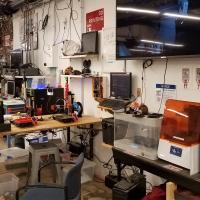
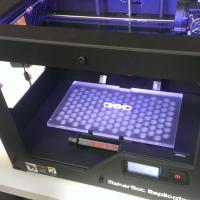
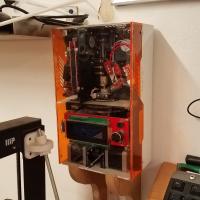

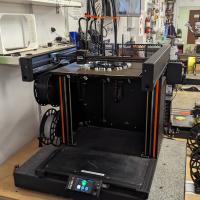


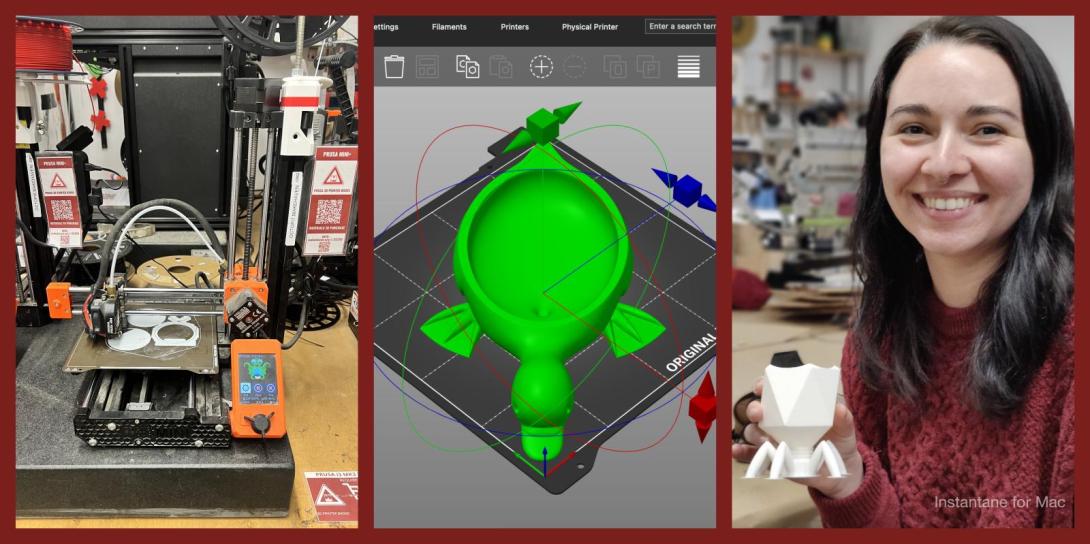
Prusa 3D Printers Badge
Completing this badge allows you to use the Prusa 3D printers. Additional training is required for use of the Markforged and Form Labs 3D printers.
Badge Checkout Requirement
In person checkout required
Badge Checklist
Complete these items to earn the badge.
- 3D Printer (Generic FDM)
- Video watched, quiz taken, any questions?
- Identify and describe control axes, changing filament, and cleaning print surface
- Cleaning the bed (for the first print of the day)
- Putty knife to scrape away chunks
- Lightly sand with sandpaper (grit #)
- Paper towel with isopropyl
- Changing filament
- Pre-heat machine (215)
- Cut filament near spool (at angle)
- Remove old spool - keep slight tension on filament!
- Filament end should be secured on spool itself, inserted into the printer, or held in your hand - loose filament WILL tangle!
- Remove old filament from extruder,
- Move tension spring lever on top and pull filament from extruder motor
- Adding new filament (only PLA)
- Select desired color from available filaments
- If a new roll is opened, write down the color on the To Purchase Clipboard
- Feed new filament through extruder/tube until desired color is extruded
- On Minis, tension lever must be depressed
- Printing from Octopi
- Go to http://octopi#.makehaven, where # is the number printer you’re using (each printer is labeled on the front)
- If printer state is Offline
- Click the grey Connect button, printer should now say “State: Operational”
- On the lower left hand side are the Folders and Files, create a folder with your name, then upload said folder
- Click the Upload button at the bottom
- Select your STL file, which will load into slicer automatically
- Using the slicer controls: Rotate, scale, remove, duplicate
- After orienting model in slicer, go to General tab
- Change to “After Slicing: Select for Printing”
- On Basic tab:
- Change “Fill Density” to desired percentage (suggested value of 15%)
- Change “Support Type” if supports are required
- Build plate: only supports where model is over buildplate
- Everywhere: adds supports anywhere where there is a 45° or greater overhang
- Make sure extruder temp is 215 degrees and bed is 60
- On Advanced tab:
- Change adhesion from “None” to “Brim” as default, and to “Raft” only if you’re having adhesion problems
- Click “Slice”
- On left side click blue Print button
- Print Process
- Keep note of “Filament (tool 0)”; each member is allocated 30 meters per day. If your prints exceed this, please pay $0.10 per meter at makehaven.org/store, or in the cash box on the wall near the 3D printers
- Put a Name and Date Label (printed from the label machine) on the printer so another user can put your print on the Finished Shelf with this label, or so that if the print fails another user can tell you on Slack
- Removing the print: use a putty knife with the beveled side up at a very shallow angle, to avoid gouging the print surface. Prints are easier to remove once the bed has cooled below 50°C
- If you experience problems that you cannot fix while printing, replace the green check mark with a red X. If able, leave a note on the whiteboard of the problem, and post on Slack
- Cleaning up tool
- Please make sure any bits of filament are thrown in the trash
- Feel free to talk about the following:
- Bed levelling
- Clearing clogged nozzles
Badge for MakeHaven
Badge
Pronouns
He/Him
Joshua
Chough
Badge Request for Prusa 3D Printers by User 5377
Badge
Pronouns
she/her
Jenny
Liu
Badge Request for Prusa 3D Printers by User 5132
Badge
Amal
Taylor
Badge Request for Prusa 3D Printers by User 5245
Badge
James
Todeasa
Badge Request for Prusa 3D Printers by User 5295
Badge
Pronouns
He/they/etc.
Andrew
Eskenazi
Badge Request for Prusa 3D Printers by User 5361
Badge
robert
murphy
Badge Request for Prusa 3D Printers by User 5339
Badge
Pronouns
He/Him
Gregory
Testo
Badge Request for Prusa 3D Printers by User 5344
Badge
Pronouns
he/him
Harrison
Briner
Badge Request for Prusa 3D Printers by User 5258
Badge
Pronouns
She/Her
Hibah
Ansari
Badge Request for Prusa 3D Printers by User 5087
Badge
Pronouns
He/Him
Joey
Erwin
Badge Request for Prusa 3D Printers by User 5330
Badge
Edith
Shirinda
Badge Request for Prusa 3D Printers by User 5254
Badge
Pronouns
He
Aamir
Majeed
Badge Request for Prusa 3D Printers by User 5230
Badge
Pronouns
she/her
Judy
Lee
Badge Request for Prusa 3D Printers by User 4509
Badge
Pronouns
she
Stephanie
Wilborne
Badge Request for Prusa 3D Printers by User 4002
Badge
Pronouns
She,her
Lauren
Brown
Member profiles
Badge Request for Prusa 3D Printers by User 2140
Badge
Pronouns
he/him
Mike
Melanson
Member profiles
Badge Request for Prusa 3D Printers by User 5268
Badge
Pronouns
he him
Thomas
Piscitelli
Badge Request for Prusa 3D Printers by User 5273
Badge
Pronouns
He/him
Devin
Crowl
Badge Request for Prusa 3D Printers by User 5266
Badge
Pronouns
He/Him
James
Shirvell
Badge Request for Prusa 3D Printers by User 5279
Badge
Maria
Ker
Badge Request for Prusa 3D Printers by User 5148
Badge
Pronouns
He/Him
Abraham
Quintero
Badge Request for Prusa 3D Printers by User 4383
Badge
Sarah
Miller
Member profiles
Badge Request for Prusa 3D Printers by User 5215
Badge
Pronouns
she/her
Jordan
Besch
Badge Request for Prusa 3D Printers by User 3780
Badge
Daniel
Brady
Member profiles
Badge Request for Prusa 3D Printers by User 5164
Badge
Kaitlin
Mines
Badge Request for Prusa 3D Printers by User 5251
Badge
Luis
Pacheco
Badge Request for Prusa 3D Printers by User 5022
Badge
Chris
Crowl
Badge Request for Prusa 3D Printers by User 5209
Badge
Suleiman
Barakat
Badge Request for Prusa 3D Printers by User 3697
Badge
Pronouns
He / Him
Preston
Dennett
Member profiles
Badge Request for Prusa 3D Printers by User 5168
Badge
Pronouns
He/Him
Nick
Latella
Badge Request for Prusa 3D Printers by User 5214
Badge
Aaron
Lebel
Badge Request for Prusa 3D Printers by User 5204
Badge
Pronouns
He/him
Cullen
Ross