Associated tools
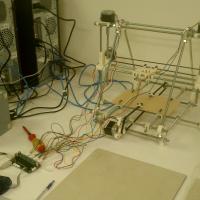
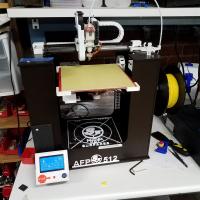
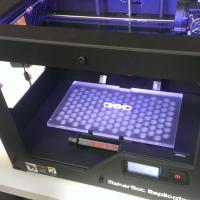

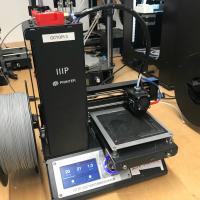
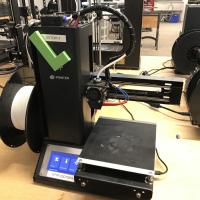
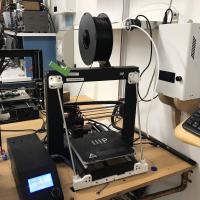
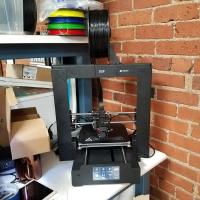
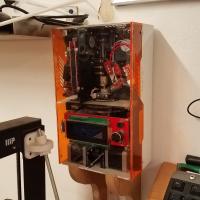
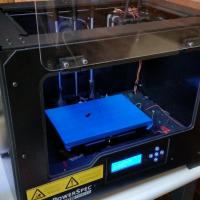


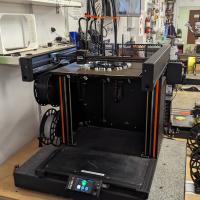

Prusa 3D Printers Badge
Completing this badge allows you to use the Prusa 3D printers. Additional training is required for use of the Markforged and Form Labs 3D printers.
Badge Checkout Requirement
In person checkout required
Badge Checklist
Complete these items to earn the badge.
- 3D Printer (Generic FDM)
- Video watched, quiz taken, any questions?
- Identify and describe control axes, changing filament, and cleaning print surface
- Cleaning the bed (for the first print of the day)
- Putty knife to scrape away chunks
- Lightly sand with sandpaper (grit #)
- Paper towel with isopropyl
- Changing filament
- Pre-heat machine (215)
- Cut filament near spool (at angle)
- Remove old spool - keep slight tension on filament!
- Filament end should be secured on spool itself, inserted into the printer, or held in your hand - loose filament WILL tangle!
- Remove old filament from extruder,
- Move tension spring lever on top and pull filament from extruder motor
- Adding new filament (only PLA)
- Select desired color from available filaments
- If a new roll is opened, write down the color on the To Purchase Clipboard
- Feed new filament through extruder/tube until desired color is extruded
- On Minis, tension lever must be depressed
- Printing from Octopi
- Go to http://octopi#.makehaven, where # is the number printer you’re using (each printer is labeled on the front)
- If printer state is Offline
- Click the grey Connect button, printer should now say “State: Operational”
- On the lower left hand side are the Folders and Files, create a folder with your name, then upload said folder
- Click the Upload button at the bottom
- Select your STL file, which will load into slicer automatically
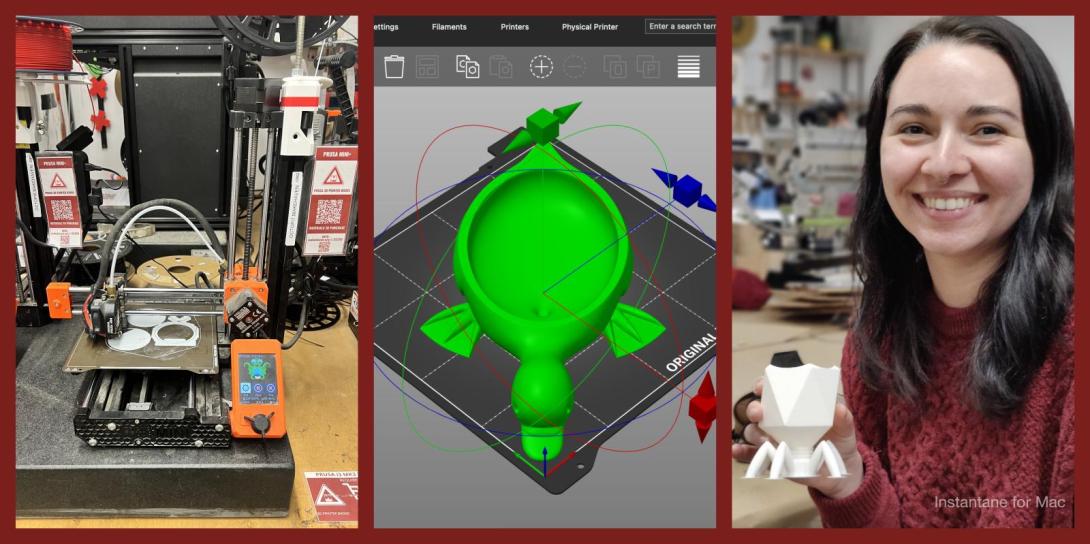
- Using the slicer controls: Rotate, scale, remove, duplicate
- After orienting model in slicer, go to General tab
- Change to “After Slicing: Select for Printing”
- On Basic tab:
- Change “Fill Density” to desired percentage (suggested value of 15%)
- Change “Support Type” if supports are required
- Build plate: only supports where model is over buildplate
- Everywhere: adds supports anywhere where there is a 45° or greater overhang
- Make sure extruder temp is 215 degrees and bed is 60
- On Advanced tab:
- Change adhesion from “None” to “Brim” as default, and to “Raft” only if you’re having adhesion problems
- Click “Slice”
- On left side click blue Print button
- Print Process
- Keep note of “Filament (tool 0)”; each member is allocated 30 meters per day. If your prints exceed this, please pay $0.10 per meter at makehaven.org/store, or in the cash box on the wall near the 3D printers
- Put a Name and Date Label (printed from the label machine) on the printer so another user can put your print on the Finished Shelf with this label, or so that if the print fails another user can tell you on Slack
- Removing the print: use a putty knife with the beveled side up at a very shallow angle, to avoid gouging the print surface. Prints are easier to remove once the bed has cooled below 50°C
- If you experience problems that you cannot fix while printing, replace the green check mark with a red X. If able, leave a note on the whiteboard of the problem, and post on Slack
- Cleaning up tool
- Please make sure any bits of filament are thrown in the trash
- Feel free to talk about the following:
- Bed levelling
- Clearing clogged nozzles
Badge
Saturday, May 18, 2024 - 8:36pm
Wayne
Austin
Member profiles
Badge
Saturday, May 4, 2024 - 11:44pm
Andrew
Gerber
Member profiles
Badge
Wednesday, April 24, 2024 - 8:46pm
Zach
Reichner
Member profiles
Badge
Thursday, April 18, 2024 - 5:03pm
Rommel
Montayre
Member profiles
Badge
Thursday, April 11, 2024 - 2:35pm
Pronouns
she/her
Cameron
Slocum
Member profiles
Badge
Friday, April 5, 2024 - 5:27pm
Matan
Cutler
Member profiles
Badge
Thursday, March 28, 2024 - 5:59pm
John
Daniels
Member profiles
Badge
Tuesday, March 26, 2024 - 1:22pm
Pronouns
She/her
Emily
Burke
Member profiles
Badge
Saturday, March 23, 2024 - 7:54pm
Santino
Iannone
Member profiles
Badge
Wednesday, March 20, 2024 - 10:27am
Pronouns
She/Her
Samantha
Miller
Member profiles
Badge
Tuesday, March 19, 2024 - 12:22pm
John
Pisarczyk
Member profiles
Badge
Saturday, March 16, 2024 - 4:27pm
Ali
Kabiri
Member profiles
Badge
Tuesday, February 27, 2024 - 10:04pm
Billiejane
Phengsy
Member profiles
Badge
Monday, February 26, 2024 - 2:12pm
Joseph
Silverman
Member profiles
Badge
Sunday, February 25, 2024 - 8:16pm
Christopher
DiMetro
Member profiles
Badge
Saturday, February 24, 2024 - 11:34am
Edward
DeBrouwer
Member profiles
Badge
Tuesday, February 20, 2024 - 1:13pm
Lemuel
Lockett
Member profiles
Badge
Monday, February 19, 2024 - 8:39am
Serge
Virvo
Member profiles
Badge
Tuesday, February 13, 2024 - 2:45pm
Pronouns
He/They
Quinn
Meehan
Member profiles
Badge
Wednesday, February 7, 2024 - 4:59pm
Algerd
Ulin
Member profiles
Badge
Tuesday, January 30, 2024 - 7:41pm
Pronouns
He/Him
Daniel
Brooks
Member profiles
Badge
Tuesday, January 30, 2024 - 6:30pm
Pronouns
she/her
Tesca
Fitzgerald
Member profiles
Badge
Saturday, January 13, 2024 - 2:43pm
Pronouns
Ask
Bee
Weingart
Member profiles
Badge
Wednesday, January 10, 2024 - 12:13pm
Aiden
Damon
Member profiles
Badge
Wednesday, January 10, 2024 - 11:26am
Pronouns
she/her/they
Illa
Hiller
Member profiles
Badge
Saturday, January 6, 2024 - 10:37pm
Brendan
Taylor
Member profiles
Badge
Thursday, January 4, 2024 - 4:53am
Jonas
Perez
Member profiles
Badge
Tuesday, December 26, 2023 - 11:56am
Krystian
Michnicki
Member profiles
Badge
Sunday, December 24, 2023 - 10:44pm
Pronouns
they
Iris
Artin
Member profiles
Badge
Friday, December 22, 2023 - 1:42pm
Thomas
Ciesco
Member profiles
Badge
Friday, December 22, 2023 - 9:38am
Pronouns
he/him
Simon
Tishkoff
Member profiles
Badge
Tuesday, December 19, 2023 - 11:06am
Irene
Michnicki
Member profiles