Introduction to Arduino: Signals and Servos
Instructor: Luis PerezLorenzo
What to Expect
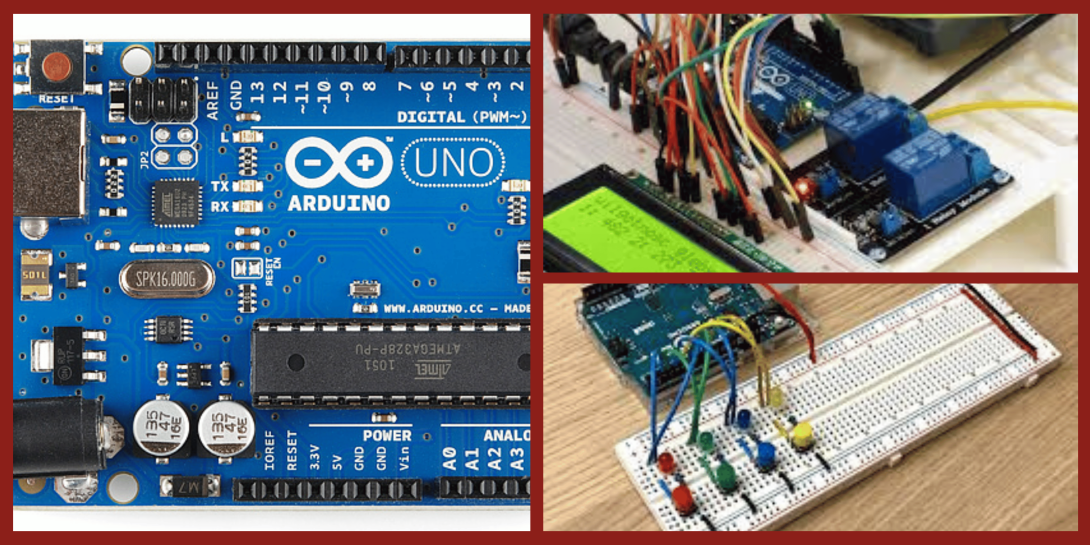
This class is split over two consecutive Thursdays, April 16 and April 23, from 6:30pm to 8:30pm. Expect a technical, instructor-led environment that combines demonstrations with immediate hands-on experimentation. The instructor will guide the group through software setup and basic circuit building, allowing participants to practice reading inputs like buttons and potentiometers while controlling outputs. Participants should bring their own laptop with the Arduino software pre-installed to maximize class time.
Skills You’ll Acquire
- Navigating the Arduino software and IDE
- Programming basic functions to control LEDs and servos
- Reading analog and digital inputs from potentiometers and buttons
- Setting up two-way communication between a computer and microcontroller
- Understanding breadboard circuitry and jumper cable wiring
What’s Provided
- Arduino starter kit including a breadboard, servo, and sensors
- Guided instruction and project examples
- Access to necessary shop tools for assembly
Who Should Attend
This workshop is perfect for beginners interested in electronics, robotics, or interactive art. It is an ideal starting point for those curious about coding and physical computing. Participants under 18 years old are welcome with parental or guardian supervision.
Prerequisites/Safety Information
Participants must bring their own laptop with the Arduino software installed before the first session. While an Arduino kit is provided and included in the ticket cost, participants are welcome to bring their own Arduino if they prefer.
770 Chapel, Street
Classroom on First Floor
New Have, CT 06510
United States
| Standard Ticket | $49.00 |
| MakeHaven Members | $42.00 |
Instructor or Event Lead

Luis PerezLorenzo
Background in aerospace engineering, and plenty of energy to design and build all sorts of instruments and devices
Areas: Electronics, IoT & Radio, Prototyping & Invention, Electronics, Code & Robotics
Need Based Workshop Price Adjustment
MakeHaven offers a price reduction for individuals who are below a threshold income level.
You can apply at: Workshop Price Reduction Request.
Notices
Learn about our event policies, such as cancellations and inclement weather: Event Policies Page
Find the answers to the most commonly asked questions about workshops and events Event and Workshop FAQ.
Accessibility
Our facilities undergo periodic reviews to maximize ADA compliance. We offer accessible bathrooms, elevators, and wide walkways. In tool usage, we aim for universal access and work individually to adapt tools for safe usage as necessary. If you anticipate needing an adaptation to participate in this event or have further questions, please contact us at events@makehaven.org.