Status: Reported Concern
Member Report (Andrew Argraves): The CNC appears to have a homing error, the Z axis motor rumbles and does not seem to reliably increment or decrement the carriage Z axis position. The machine is unable to initialize due to the homing error. This occurred on Oct 16 when I saw that the depth of my cut was misconfigured. Rather than cutting into the wood, the bit was traveling far above it. The router bit never made contact with material. I hit "stop" so that I could edit the carbide create file and then restart the process, but at this point the homing error began. I tried to take some diagnostic steps based off of the error log and online searches to no avail. It appears that the carbide motion program is from 2022 and is not up to date, that might be something worth resolving. I did manually try to increment the z-axis by sending manual commands. The motor does rotate, but the carriage only seems to go down. I suspect this is because the motor isn't making good contact with the height adjustment screw, and so as the system vibrates the weight of the carriage pulls the system down. Anyway, not much I can do without taking apart the machine, which I won't do haha. Sorry about this. Happy to answer any more questions. I also have an error log file, which I cannot attach here unfortunately. -Andrew
Since Oct 17
Report Issue
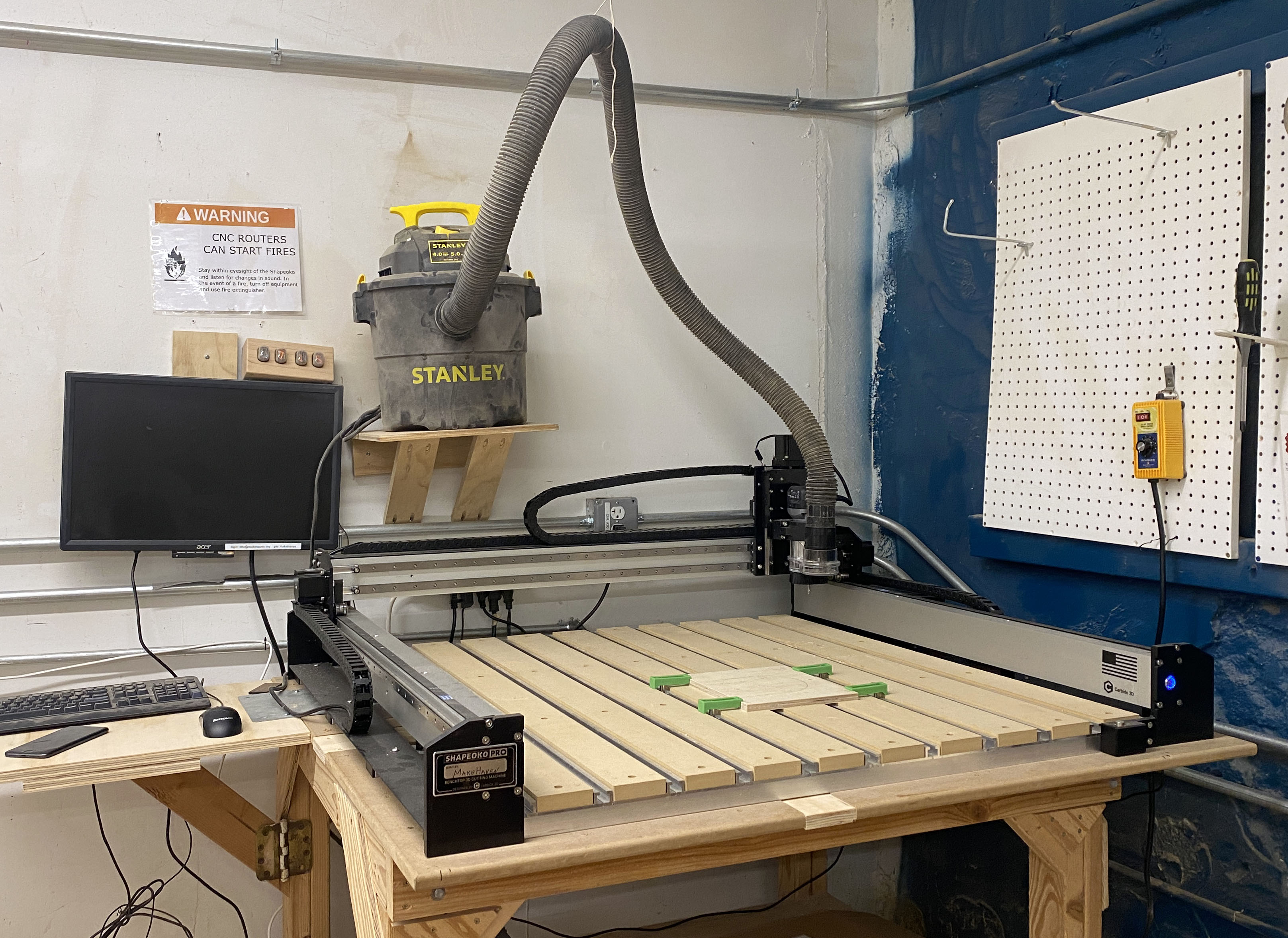
Shapeoko Pro CNC

Reservations

Fri Oct 30
Free
Sat Oct 31
Free
Sun Nov 1
Free
Mon Nov 2
1
Tue Nov 3
Free
Wed Nov 4
Free
Thu Nov 5
1
Mon · Nov 2 4:00 pm–5:00 pm In 3 days
Thu · Nov 5 11:00 am–12:00 pm In 6 days
Thu · Oct 29 10:00 am–4:00 pm
Larry Backes · Manufacturing for Sale
Description

A desktop CNC Mill for cutting specific shapes from a variety of materials. Cutting area of 33"x33"x4".


Program: Carbide Create

Requirements for Use
Required badgeRequired

You need this badge before using this tool.

Shapeoko Mill

Badge Checkout Requirement
In person checkout required
Log in to see status
Log in to check eligibility

Shapeoko Mill

Need the checklist, documentation or quiz? Open the full badge page.

Special Requirements

Talk to a facilitator

Facilitators run badge checkouts and are also glad to help with project-specific advice, a refresher, or planning a build.

2 facilitators, 3 upcoming times in the next two weeks · Next: Thu Nov 5, 11:00am

See facilitator schedule

Facilitator schedule · Shapeoko Pro CNC

Facilitators run badge checkouts and are also glad to help with project-specific advice, a refresher, or planning a build.

Day Morning (before 12 PM) Afternoon (12 - 5 PM)
Thursday
November 5, 2026
Facilitator badge checkout
Sign in to schedule 11:00am
With Jeffrey Cargos
 
Monday
November 9, 2026
 
Facilitator badge checkout
Sign in to schedule 4:00pm
With Marc St. George
Thursday
November 12, 2026
Facilitator badge checkout
Sign in to schedule 11:00am
With Jeffrey Cargos
 

Available by request

Scheduled times above are the fastest path — request a session if none of them work for you.

Every facilitator, every tool: the full facilitator schedule.

Optional badgesOptional

Not required to use this tool. Earn it to show you have learned the skill.

Area Reservations
This asset is part of an area that has upcoming reservations:
  • Wood Shop: Nov 7, 1:00 PM – 6:00 PM (booked by Silas Corvo)
  • Wood Shop: Nov 29, 10:00 AM – 5:00 PM (booked by Silas Corvo)
  • Wood Shop: Dec 27, 10:00 AM – 4:45 PM (booked by Silas Corvo)